🍳
Kitchen screen
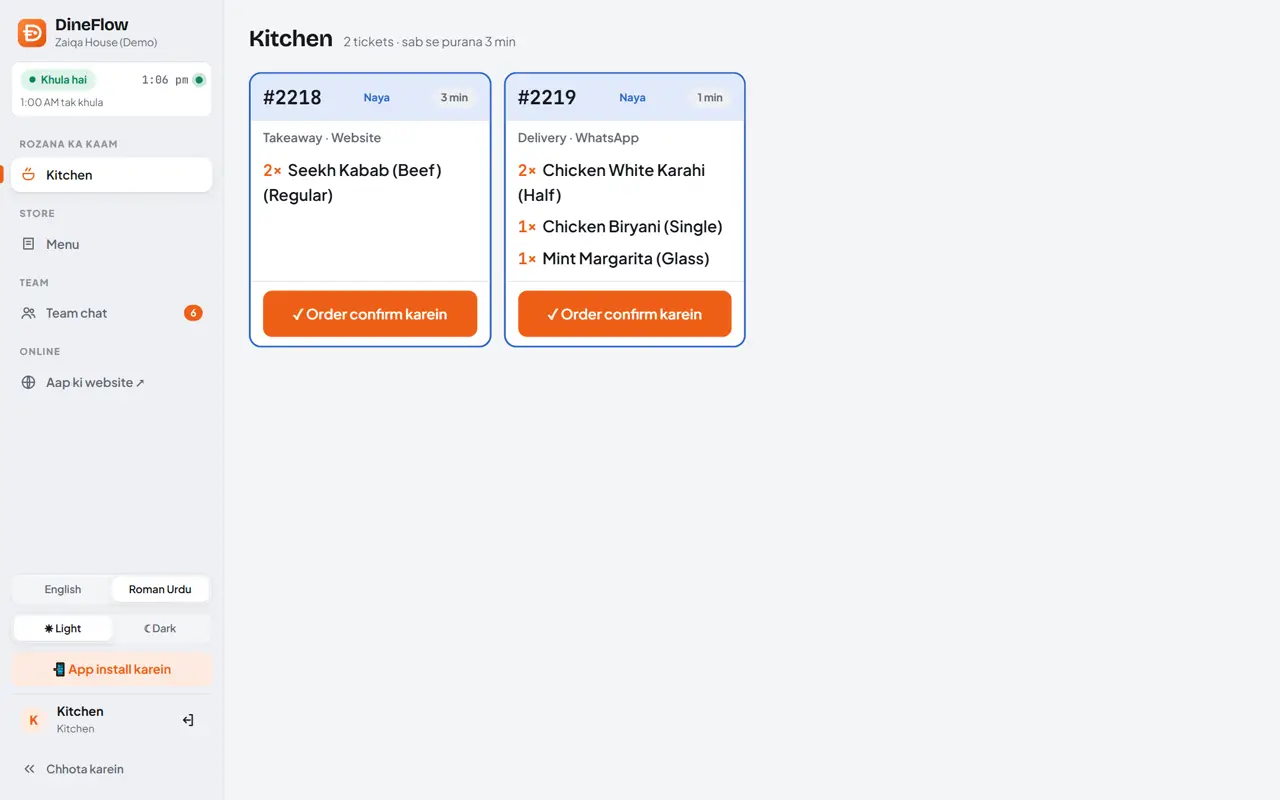
Orders appear with a sound. Cooks see what to make first and how long each dish takes.
DineFlow takes the order, sends it to the kitchen, prints the bill and tells the rider where to go. No paper chits, no lost orders, no monthly fee.
DineFlow is a restaurant POS and management app made for Pakistan. It handles orders, the kitchen screen, counter billing, table QR orders, riders, WhatsApp messages and daily reports. It runs on your own Windows computer, so it keeps working when the internet goes down. It costs Rs 25,000 one time.
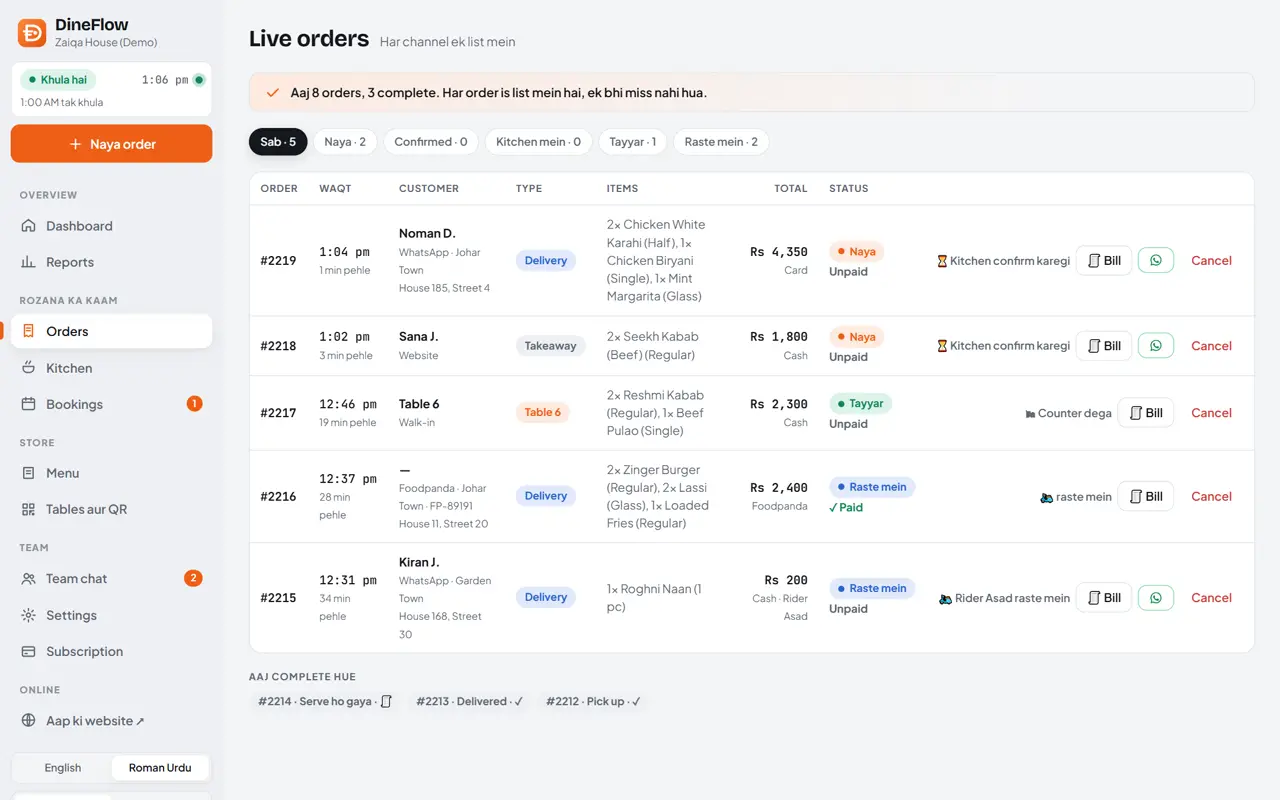
Every order follows the same clear path. Each person only sees the button they need.
From the counter, a waiter's phone, the table QR or your website.
The kitchen screen rings. The cook taps confirm and starts cooking.
Ready orders show at the counter with the table number.
The rider picks it up on the phone app and marks it delivered.
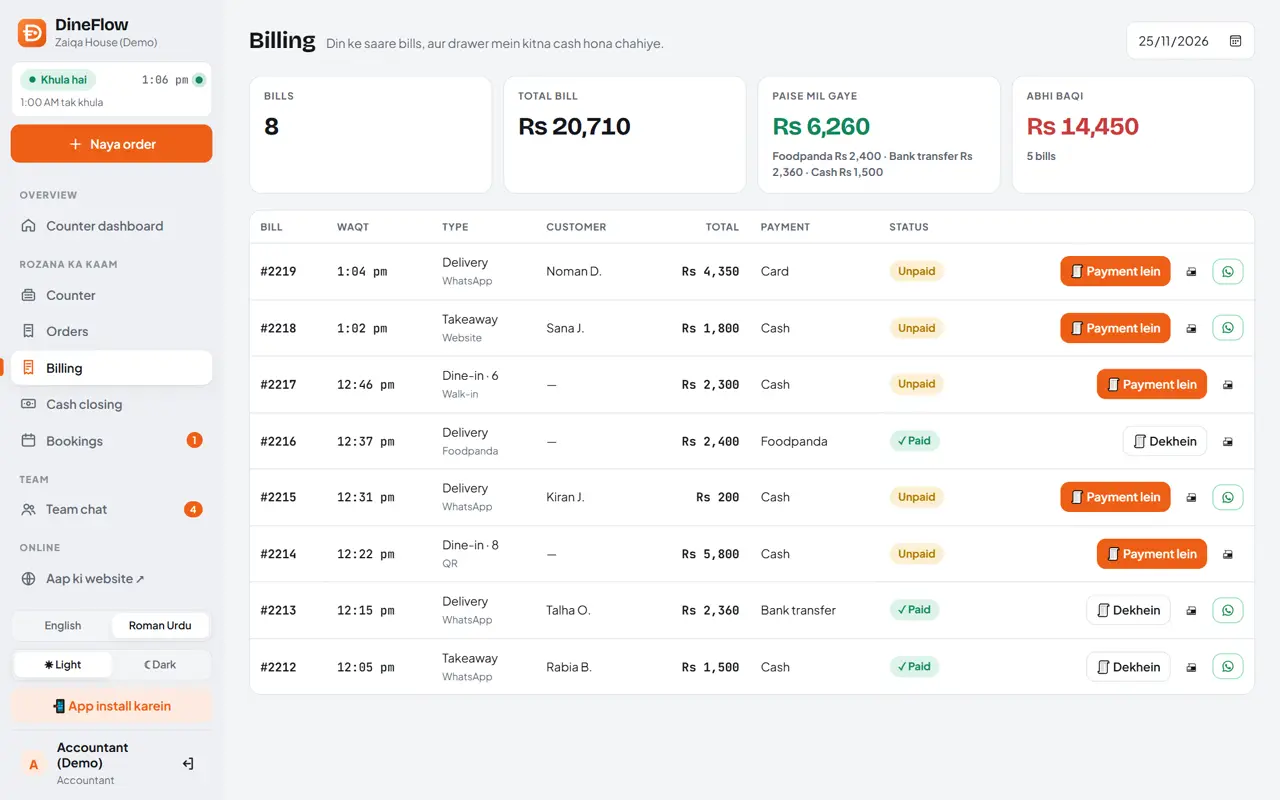
Cash, card, JazzCash, Easypaisa or bank. It all adds up in closing.
Scroll down to follow one busy evening, screen by screen.
Real DineFlow screens, shown in Roman Urdu. Every screen also works in English.
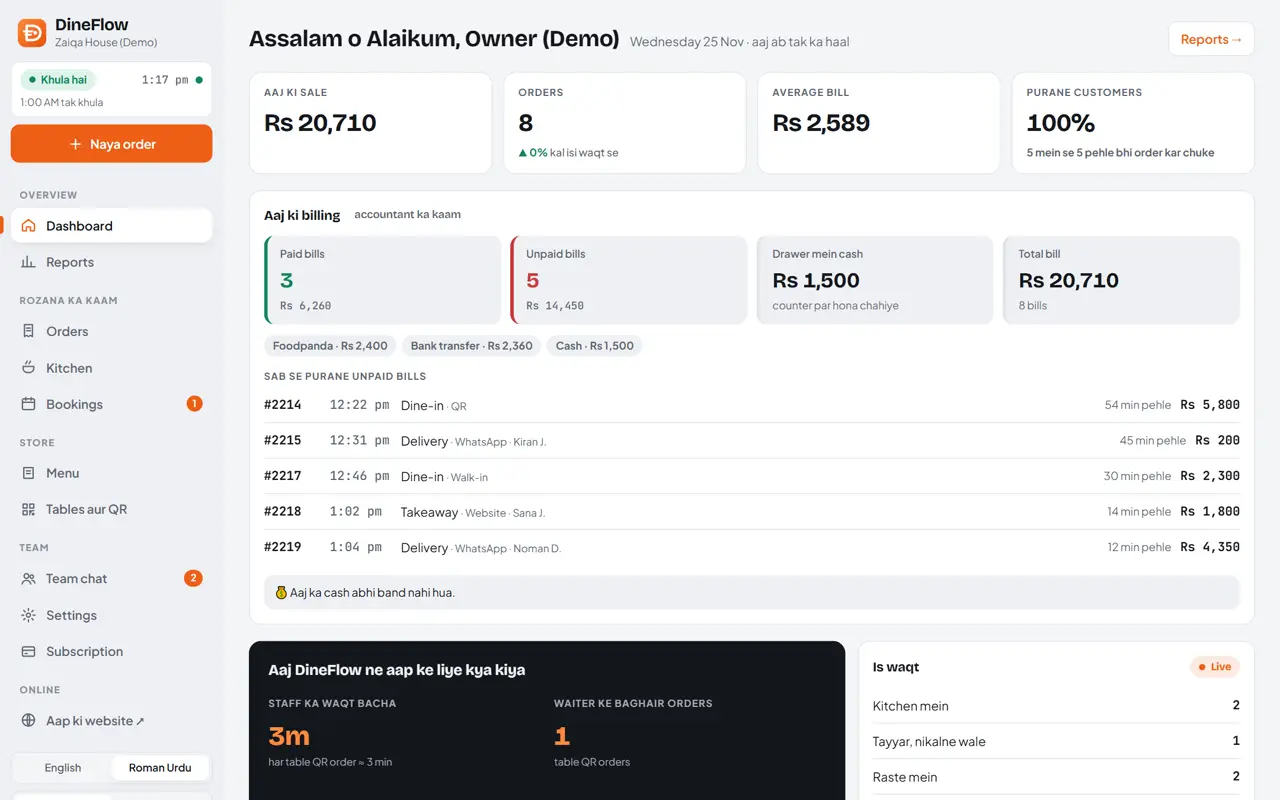
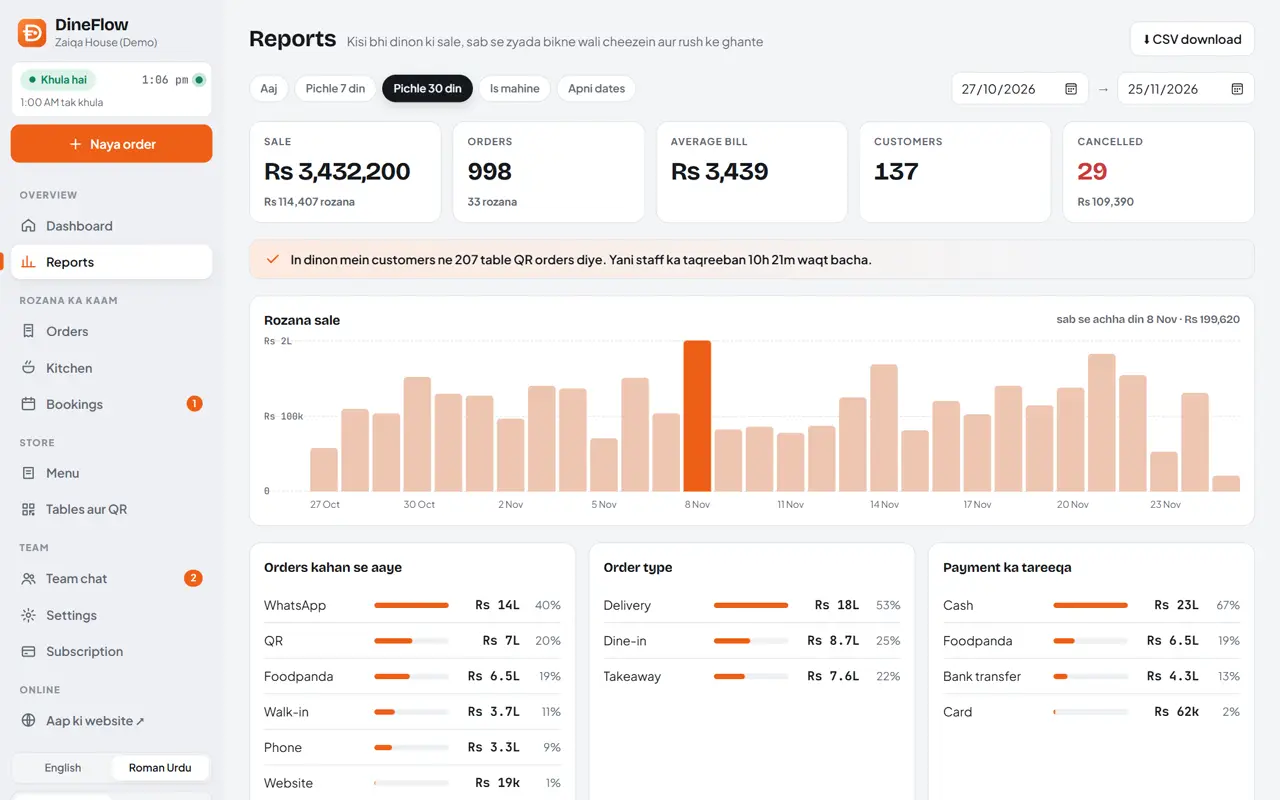
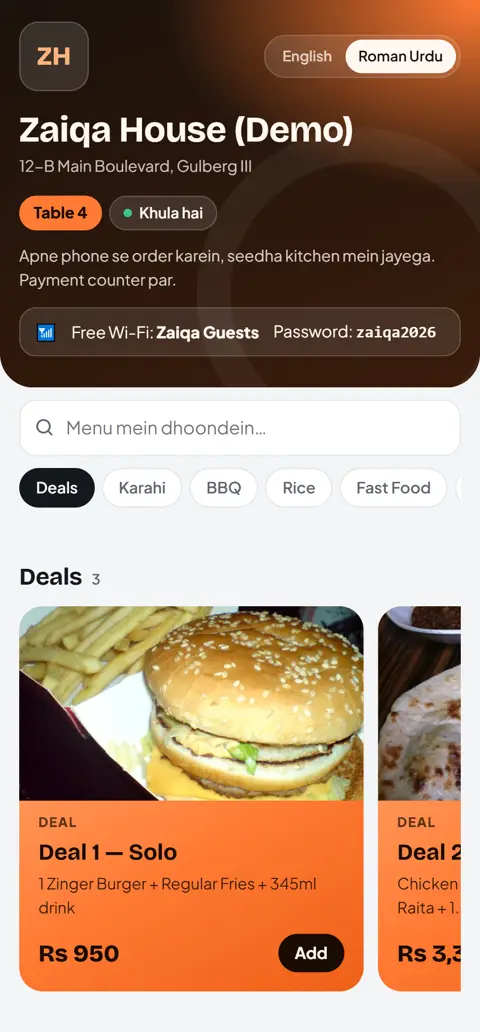
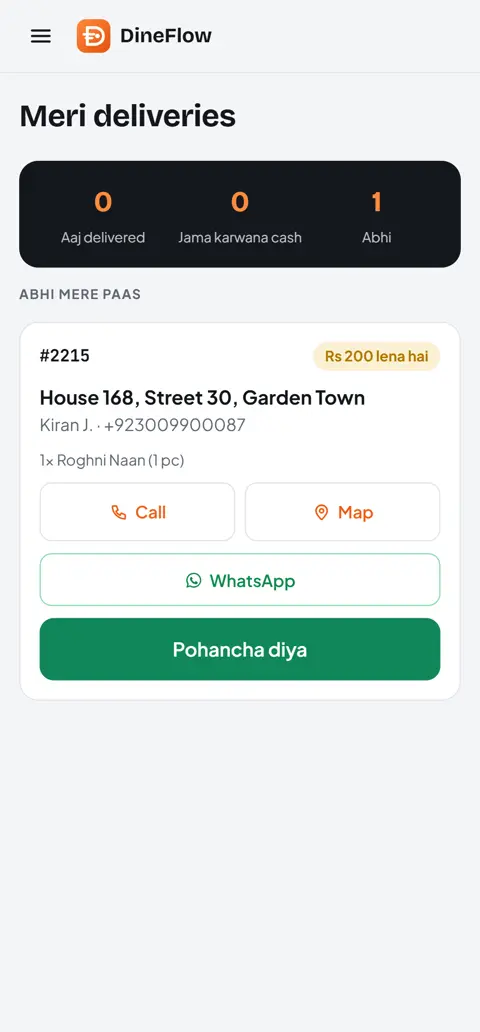
No add-ons to buy later. Every feature below comes in the same Rs 25,000 package.
Orders appear with a sound. Cooks see what to make first and how long each dish takes.
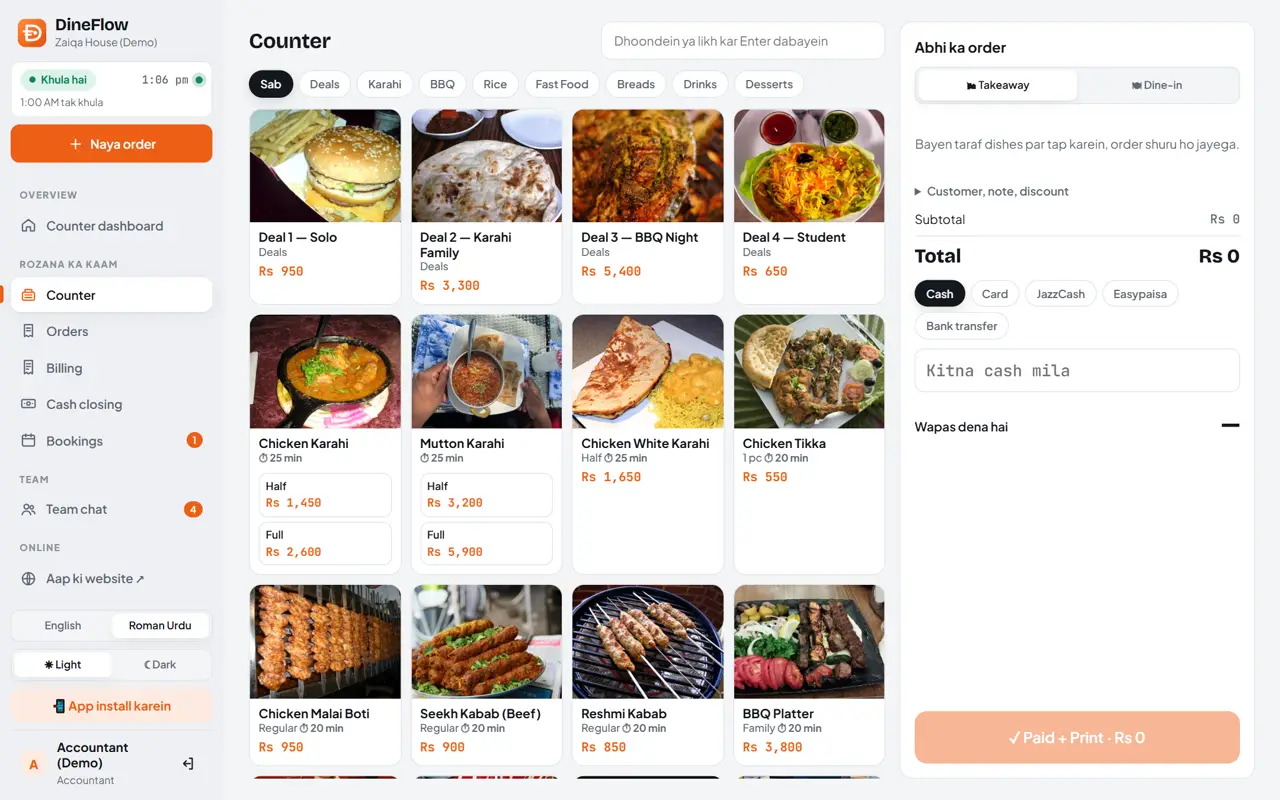
Take walk-in and takeaway orders fast. Dishes with sizes, like half and full, are one tap.
Print a receipt or send a digital bill link. Add tax, service charge or a discount.
Customers scan, see the menu with photos and order from the table. Extra orders join the same bill.
Table cards can carry a Wi-Fi QR. Customers join your Wi-Fi without asking for the password.
Riders see ready deliveries, the address and the amount to collect, then mark them delivered.
One button sends "order confirmed", "on the way" or the bill to the customer. You edit the text.
Customers send the TID or a screenshot. Your accountant accepts or rejects it in one tap.
Today's sales, best dishes and cash by payment type. Close the day with numbers that match.
A menu website for your restaurant with online orders, tracking and bookings.
The counter can call the kitchen or buzz a rider from the app, over Wi-Fi, without SIM balance.
A backup every day, 14 days kept. Restore any day in one click, or copy it to a USB.
DineFlow runs on one Windows computer in your restaurant. Phones, tablets and the kitchen screen connect to it over your own Wi-Fi.
When the internet goes down, orders, the kitchen, billing and staff calls keep working. When it comes back, your website link and updates start again by themselves.
Your data stays on your own computer. It is not stored on our servers.
Get the free trialNo monthly bill, no per-order fee, no hidden charges.
For one restaurant. All features included.
Try every feature free for 7 days. Pay only if it works for you.
| DineFlow | Monthly cloud POS | Paper chits | |
|---|---|---|---|
| Works without internet | Yes | No | Yes |
| Cost over 2 years | Rs 25,000 | Rs 60,000+ | Lost orders |
| Kitchen screen | Yes | Sometimes extra | No |
| Table QR ordering | Yes | Often extra | No |
| Your data stays with you | Yes | No | Yes |
| Roman Urdu screens | Yes | Rarely | - |
DineFlow is restaurant software made for Pakistan. It handles orders, the kitchen screen, counter billing, table QR orders, riders, WhatsApp messages and daily reports in one app. It runs on your own computer, so it keeps working when the internet goes down.
DineFlow costs Rs 25,000 one time for one restaurant. There is no monthly fee. Updates are free, and you can try it free for 7 days first.
Yes. DineFlow runs on a Windows computer inside your restaurant. Phones and tablets connect to it over your Wi-Fi, so orders, kitchen, billing and staff calls work without internet. Internet is only needed for extras like your online link and updates.
You need one Windows 10 or 11 computer and a Wi-Fi router. Staff can use any Android phone, tablet or laptop on the same Wi-Fi. There is nothing to install: you unzip the file and double-click DineFlow.
Your data stays on your own computer, not on our servers. DineFlow makes a backup every day and keeps 14 days of backups. You can restore any day with one click or copy a backup to a USB.
Yes. Every table gets a QR card. The customer scans it, sees the menu with photos, and sends the order straight to the kitchen. The card can also carry a Wi-Fi QR so customers join your Wi-Fi in one scan.
Yes. Every screen works in English and Roman Urdu. Each staff member can pick the language they read best.
DineFlow was designed and developed by the Rankestra team in Pakistan. Rankestra builds software and websites for local businesses.

DineFlow is designed and developed by the Rankestra team. Rankestra is a digital agency that builds websites, software and growth systems for local businesses.
We built DineFlow after watching busy kitchens run on paper chits and cash registers that never matched. Every screen was tested with real restaurant work in mind: load-shedding, weak internet, and staff who prefer Roman Urdu.
Message us and we will help you set it up on your restaurant computer. If it doesn't fit, you pay nothing.
WhatsApp: 0306 3089219 · Email: info@rankestra.com